Ranking higher on Google isn’t luck and it isn’t magic. It’s a repeatable process — fix the right technical issues, publish content that answers real questions, earn links from real sites, and make your pages fast. This guide covers every meaningful lever you can pull on a WordPress site, in priority order.
Understand how Google ranks pages
Before you can improve your ranking, you need to understand what Google is actually measuring. Google’s algorithm evaluates hundreds of signals, but they group into four core categories:
- Relevance — does your page answer the query better than competing pages?
- Authority — do other credible sites link to yours?
- Experience — does your page load fast and work well on mobile?
- Trust — is your site secure, accurate, and credible?
Every technique in this guide improves one or more of these four signals. The fastest ranking improvements usually come from fixing technical issues first — because they’re blocking everything else from working.
Step 1 — Fix your technical SEO foundation
Technical SEO is the infrastructure layer. If it’s broken, no amount of content or links will help. Do this before anything else.
Make sure Google can crawl and index your site
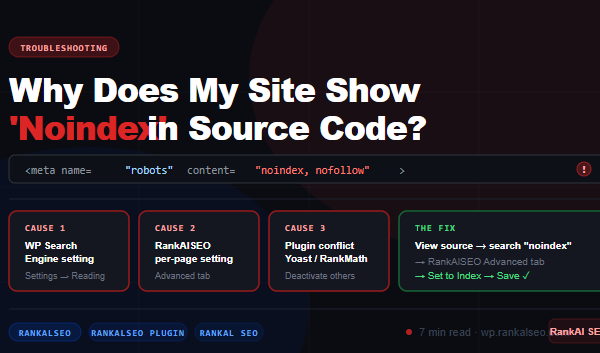
Open Google Search Console → Pages (under Indexing). How many of your pages are indexed? If important pages are missing, find out why — noindex tags, robots.txt blocks, or crawl errors are the most common causes.
The RankAlSEO plugin handles this automatically — it outputs the correct robots meta tags per page and excludes non-indexable pages from your sitemap. Check RankAlSEO → Settings to verify your content types are set to index.
Related: Why does my site show noindex in the source code?
Submit your sitemap to Google
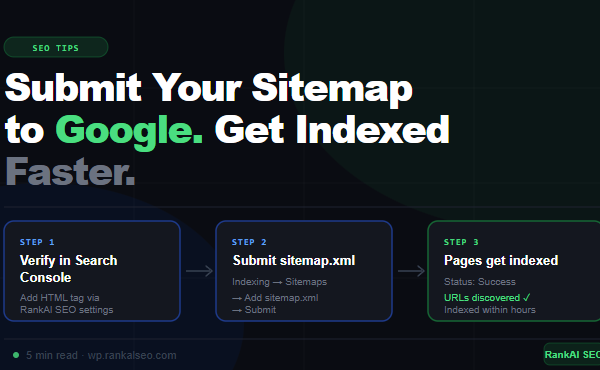
If your sitemap isn’t submitted to Google Search Console, Google is finding your pages by following links — which is slower and less reliable. The RankAlSEO plugin generates your sitemap automatically at yourdomain.com/sitemap.xml. Submit it in Search Console → Sitemaps → add sitemap.xml.
Related: How to submit your sitemap to Google Search Console
Switch to HTTPS
HTTPS is a confirmed Google ranking signal. If your site is still on HTTP, switch immediately — most hosts provide free SSL certificates. After switching, make sure WordPress Settings → General shows https:// URLs, and add a 301 redirect from HTTP to HTTPS in your server config.
Fix mobile usability
Google uses mobile-first indexing — it crawls and ranks your site based on how it looks on a smartphone, not a desktop. Open Google Search Console → Experience → Core Web Vitals → Mobile. Fix any pages showing as Poor or Needs Improvement.
Improve page speed
Page speed directly affects both rankings and user experience. The two biggest speed wins on WordPress:
- Replace heavy plugins with lighter ones — SEO plugins in particular are notorious for adding bloat. The RankAlSEO plugin adds ~4KB to page load vs Yoast’s 30KB+
- Optimise images — compress and convert to WebP format, add proper width and height attributes to prevent layout shift
- Use a caching plugin — WP Rocket, LiteSpeed Cache, or W3 Total Cache
- Use a CDN — Cloudflare’s free plan is enough for most sites
Test your speed at the free RankAlSEO Speed Checker tool.
Step 2 — Optimise your on-page SEO
Once your technical foundation is solid, on-page optimisation is where you signal relevance to Google for specific queries.
Target one primary keyword per page
Every page should be built around one primary keyword — the main query you want that page to rank for. Don’t try to rank one page for ten different topics. Instead, create separate pages for separate topics.
Research keywords using free tools: Google Search Console (what you already rank for), Google autocomplete, and “People also ask” boxes in search results. These show you exactly what your audience searches for in their own words.
Write an optimised meta title
Your meta title is the blue link people see in search results. It’s one of the strongest on-page ranking signals. Best practices:
- Include your target keyword — ideally near the start
- Keep it under 60 characters or Google will truncate it
- Make it compelling — it needs to earn the click
- Match it to what the page actually delivers
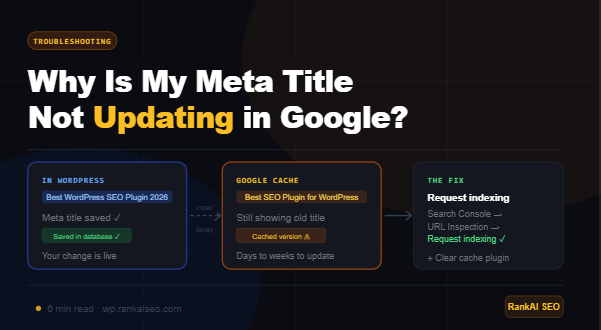
In the RankAlSEO plugin, edit any post or page and set the meta title in the RankAlSEO meta box. The AI generation feature writes click-optimised titles based on your content with one click.
Write a compelling meta description
The meta description is the grey text under the blue link. Google sometimes ignores it and generates its own, but a good one increases click-through rate when Google does use it. Keep it 120–158 characters, include your keyword naturally, and write it like an ad — tell the reader what they’ll get by clicking.
Use your keyword in the right places
- Page title (H1): Use your keyword in the H1 heading — every page should have exactly one H1
- First 100 words: Mention the keyword early in the content
- Subheadings (H2, H3): Use related terms and variations naturally
- Image ALT text: Describe images accurately — the RankAlSEO plugin can automate ALT text generation
- URL slug: Keep it short and include the keyword —
/how-to-improve-website-ranking-google/not/p=1234
Write content that fully answers the query
The single most important on-page factor is whether your content genuinely answers the question better than your competitors. Google’s algorithm has become extremely good at understanding whether content is comprehensive, accurate, and actually useful.
Before writing, search for your target keyword in Google and read the top 5 results. What do they cover? What do they miss? Write something more complete, more accurate, and more useful than all of them.
Content that ranks well typically:
- Directly answers the query in the first paragraph
- Covers subtopics the searcher would logically want to know
- Uses examples, data, and specifics — not vague generalities
- Is structured with clear headings for scanability
- Is updated when information changes
Use schema markup
Schema markup is structured data that tells Google exactly what type of content your page contains — an article, a product, a recipe, an FAQ, a how-to guide. It can unlock rich results in search (star ratings, FAQ dropdowns, breadcrumbs) which increase visibility and click-through rate without changing your actual ranking position.
The RankAlSEO plugin outputs schema markup automatically based on your content type. For articles it outputs Article schema, for products it outputs Product schema with price and availability, for pages with FAQ sections it outputs FAQPage schema.
Step 3 — Build internal links
Internal linking is one of the most underused ranking tactics. When you link from one page on your site to another, you pass authority and signal to Google which pages are important.
Every time you publish a new post, go back to your 3–5 most relevant existing posts and add a link to the new one. Over time this builds a network of related content that reinforces your topical authority in your niche.
Practical rules:
- Use descriptive anchor text — “how to submit your sitemap to Google” not “click here”
- Link from high-traffic pages to pages you want to rank
- Make sure every important page has at least 3 internal links pointing to it
- Don’t orphan pages — every page should be reachable from at least one other page
Step 4 — Earn backlinks
Backlinks — links from other websites to yours — remain one of the strongest ranking signals in Google’s algorithm. A link from a credible, relevant site tells Google your content is worth referencing.
You can’t manufacture real authority, but you can create the conditions for links to happen:
Publish link-worthy content
Original research, comprehensive guides, free tools, and data-driven posts attract natural links. People link to resources that help them make a point or support their argument. Ask yourself: is this piece of content something another blogger or journalist would want to reference?
Guest posting
Write articles for other sites in your niche. Most accept a byline link back to your site. Focus on sites with real audiences and genuine editorial standards — not low-quality “guest post farms.”
HARO and journalist outreach
Help a Reporter Out (now Connectively) connects journalists with expert sources. Sign up, respond to relevant queries with genuine expertise, and earn links from press coverage. A single link from a major publication can significantly move rankings.
Broken link building
Find pages in your niche that link to broken URLs (404 pages). Reach out to the site owner, let them know the link is broken, and suggest your content as a replacement. Tools like Ahrefs, Semrush, or the free RankAlSEO Sitemap Validator can help identify broken links.
Step 5 — Track what’s working
You can’t improve what you don’t measure. Set up proper tracking from day one:
Google Search Console
The essential free tool. Tracks impressions, clicks, CTR, and position per keyword and per page. Shows indexing status, crawl errors, Core Web Vitals, and sitemap status. Check it weekly.
RankAlSEO Rank Tracker (PRO)
The RankAlSEO plugin‘s PRO plan includes a rank tracker built directly into your WordPress dashboard. It checks your keyword positions daily and shows you movement over time — without needing a separate tool like Ahrefs or SEMrush for basic tracking.
Google Analytics 4
Tracks what visitors do after they land on your site — which pages they read, how long they stay, and whether they convert. Connect it to your WordPress site using the RankAlSEO plugin‘s analytics integration (GA4 and GTM supported on PRO).
How long does it take to rank on Google?
Honestly: it depends. A realistic timeline for a new site targeting competitive keywords:
- Weeks 1–4: Technical setup, content publishing, sitemap submitted — Google starts crawling
- Months 1–3: First impressions appear in Search Console, some long-tail keywords start ranking on page 2–3
- Months 3–6: Content with good on-page SEO and some backlinks starts moving to page 1
- Months 6–12: Established content authority, consistent traffic from organic search
Low-competition keywords (especially long-tail queries with 3+ words) can rank in days to weeks. Competitive head terms take months to years. Focus on long-tail first — it builds authority and brings traffic faster.
The ranking improvement checklist
- ✅ HTTPS configured and redirecting HTTP
- ✅ WordPress Search Engine Visibility is unchecked
- ✅ RankAlSEO plugin installed and configured
- ✅ Sitemap submitted to Google Search Console
- ✅ No unintentional noindex on important pages
- ✅ Meta title and description set per page
- ✅ H1 includes target keyword
- ✅ Images compressed and have ALT text
- ✅ Page speed tested and passing Core Web Vitals
- ✅ Internal links connecting related content
- ✅ Google Analytics 4 connected
- ✅ Rank tracking set up to measure progress
Work through this list from top to bottom and you’ll have covered more ground than most WordPress site owners ever do. SEO is a long game — but a well-configured site with consistent, useful content will compound over time.
The RankAlSEO plugin handles the technical layer automatically. Download it free from WordPress.org, or get PRO to unlock rank tracking, AI content generation, and full-site audits from €5.99/month.
RankAl SEO PRO gives you unlimited AI content generation, daily rank tracking, full-site audits, and WooCommerce SEO — all inside WordPress. From €8.99/month.